

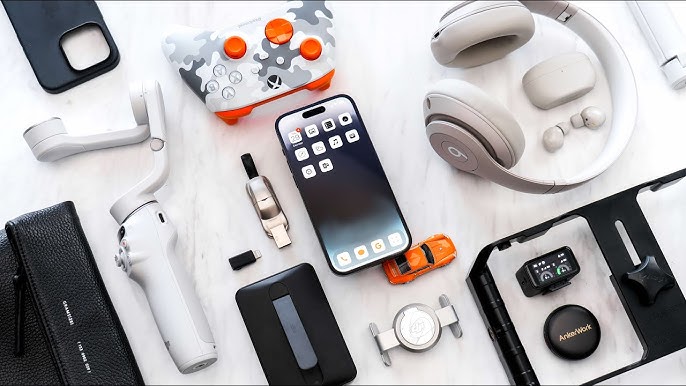
The modern workplace demands efficiency, adaptability, and polished presentation. Accessories are no longer just aesthetic additions—they are tools that enhance productivity and reflect professional identity. Smart accessories combine functionality with sleek design, helping professionals stay organized, connected, and prepared in fast-paced environments.
Below is a curated guide to essential smart accessories that align with today’s dynamic work culture.
Smartwatches That Keep You Connected
Smartwatches have evolved into compact productivity hubs.
Key Benefits:
- Real-time notifications for emails and messages
- Calendar reminders and meeting alerts
- Fitness tracking to support work-life balance
- Contactless payments
- Voice assistant integration
Choose minimalist designs with metal or leather straps to maintain a professional aesthetic.
Wireless Earbuds for Seamless Communication
Clear communication is critical in hybrid and remote work settings.
Why They Matter:
- Noise cancellation improves call clarity
- Wireless design reduces desk clutter
- Quick pairing with multiple devices
- Portable charging cases for all-day use
Neutral finishes such as black, white, or metallic tones keep the look refined.
Tech-Organized Laptop Bags
A well-designed laptop bag does more than carry devices—it organizes your workflow.
Features to Look For:
- Padded laptop compartments
- Built-in cable management sections
- RFID-blocking pockets
- Durable, water-resistant materials
- Structured silhouette
Opt for understated colors like navy, charcoal, or tan for timeless versatility.
Portable Power Banks and Charging Solutions
Running out of battery during a meeting is avoidable with the right tools.
Smart Charging Options:
- Slim, high-capacity power banks
- Wireless charging pads
- Multi-device charging stations
- Fast-charging USB-C hubs
Compact designs ensure portability without bulk.
Digital Notebooks and Smart Pens
Many professionals prefer handwritten notes, but digital integration makes them searchable and shareable.
Advantages:
- Convert handwriting into editable text
- Sync notes across devices
- Reduce paper waste
- Store unlimited pages
These tools bridge traditional note-taking with digital efficiency.
Blue Light Glasses for Screen Protection
Extended screen exposure can cause eye strain and fatigue.
Why Professionals Use Them:
- Reduce digital eye strain
- Improve focus during long sessions
- Stylish frames complement business attire
- Lightweight and comfortable for all-day wear
Choose classic frame shapes such as rectangular or round in neutral finishes.
Smart Cardholders and RFID Wallets
Security and simplicity go hand in hand.
Benefits:
- RFID-blocking technology protects sensitive data
- Slim design reduces bulk
- Durable materials like aluminum or premium leather
- Easy-access card mechanisms
A streamlined wallet supports both security and modern style.
How to Choose the Right Smart Accessories
Not every trending gadget suits every professional. Consider these factors:
- Work environment (office, remote, hybrid)
- Compatibility with existing devices
- Battery life and charging convenience
- Professional appearance
- Long-term durability
Invest in tools that genuinely improve workflow rather than adding unnecessary complexity.
Balancing Technology with Professional Style
Technology should enhance—not overpower—your professional image.
Practical Tips:
- Stick to neutral colors
- Avoid overly flashy designs
- Keep cables and accessories organized
- Prioritize quality over quantity
Smart accessories are most effective when they blend seamlessly into your daily routine.
FAQ: Smart Accessories for the Modern Professional
1. Are smartwatches suitable for formal business settings?
Yes, especially models with minimalist faces and leather or metal bands that resemble traditional watches.
2. How important is noise cancellation in earbuds for professionals?
It significantly improves call quality in busy environments and enhances concentration during focused work sessions.
3. Do digital notebooks replace traditional planners?
For many professionals, they offer greater flexibility through cloud syncing and searchable notes, though personal preference plays a role.
4. What capacity should a power bank have for business use?
A capacity between 10,000–20,000 mAh typically provides multiple device charges throughout the day.
5. Are RFID wallets necessary?
They add an extra layer of protection against electronic data theft, particularly useful for frequent travelers.
6. Can smart accessories improve productivity?
Yes, when thoughtfully chosen, they streamline communication, organization, and time management.
7. How often should professionals upgrade tech accessories?
Upgrade when functionality no longer supports your workflow or when security updates are no longer available.
Smart accessories are no longer optional extras—they are strategic tools that support efficiency, security, and professional presence. When selected carefully, they enhance both productivity and personal style in today’s evolving workplace.

Comments are closed.